Product Overview
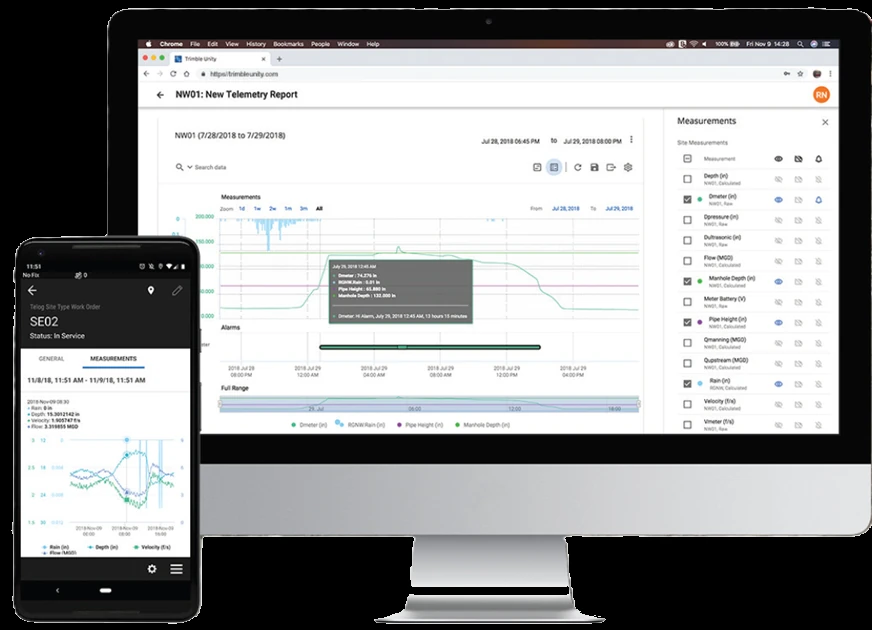
Telog RM is Badger Meter’s Remote Monitoring extension for Telog Enterprise — a GIS-based web and mobile portal that rolls a fleet of Telog standalone recorders and cellular RTUs into one view for trending, analysis and alarming. Its mapping, reporting and analysis are powered by Esri, so monitoring sites show up on the map alongside your other utility assets, and its mobile app puts that same live data and an RTU-install workflow in field crews’ hands on iPhone, iPad or Android. Readings land in the Telog Historian long-term archive, reachable through the RM Historian API — a secured RESTful read/write service included in the subscription — while proactive alarming, automated reports and a system-health dashboard help catch operational anomalies before they become failures. RM runs on-premise behind your firewall or hosted in the cloud, and rides on Telog Enterprise 6.6 or later. It is optional rather than mandatory: every Telog device records locally and runs standalone, so you can route telemetry to Telog RM, or have the line-powered devices feed your own SCADA over Modbus RTU, 4–20 mA or SDI-12, or do both.
Key Features & Benefits
- One portal across every site — roll a fleet of recorders and RTUs into a single web and mobile view instead of pulling each logger by hand
- Esri GIS-based — map-based visualization, reporting and analysis powered by Esri put your sensor readings on the map alongside your other utility assets
- Mobile crews in the field — the GIS-based mobile app for iPhone, iPad and Android gives field technicians live data and an RTU-install workflow on site
- Long-term Historian, open API — years of readings stay in the Telog Historian, and the RESTful RM Historian API — included in your subscription — opens that record to your own tools
- Proactive alarming and reports — flag operational anomalies before they become failures, with automated reports and a system-health dashboard
- On-premise or cloud — run it behind your own firewall or host it in the cloud — and because the devices log standalone, cloud monitoring is a choice you can add or skip in favor of your SCADA
Specifications
- Function
- The GIS-based Remote Monitoring (RM) extension for Telog Enterprise — it collects, trends and alarms on data sent in from Telog recorders and cellular RTUs
- Access
- Web app plus a mobile app for iPhone, iPad and Android field crews
- Data archive
- The Telog Historian long-term data archive, reachable through the RM Historian API — a secured RESTful read/write web service included in your software subscription
- GIS integration
- GIS and web-based visualization, reporting and analysis, powered by Esri — map-based views of monitoring sites alongside your other utility assets
- Alarms & reporting
- Proactive alarming on operational anomalies, automated reporting, trending and a system-health dashboard; an optional Work Management module adds GIS-centric field and office work dispatching
- Integration
- Runs on-premise behind your firewall or hosted in the cloud (AWS), and requires Telog Enterprise 6.6 or later (datasheet). Cloud monitoring is optional — the line-powered devices can instead export to your own SCADA over Modbus RTU, 4–20 mA or SDI-12
- Supported devices
- Telog standalone recorders and cellular RTUs
Common Applications
- Real-time remote monitoring and alarming across a water and wastewater network
- Reporting and data editing for capacity studies, hydraulic modeling and regulatory compliance
- Esri-powered, GIS-based asset visualization of monitoring sites on the map
- Dispatching field crews to events and site maintenance from the mobile app
- A single portal spanning many distributed field sites
To set up the right Telog RM monitoring program:
Use the input form to tell us your Telog devices and sites, whether you want it on-premise or in the cloud, and whether the data should go to Telog RM, your own SCADA, or both — and we’ll configure Telog RM and the device telemetry to match.
Flow Meter Application Sheet ›Talk to an engineer directly — Scott Prater, Principal · 917-580-0878 · scott@pratertechnical.com
Specifications compiled by Prater Technical Partners from Badger Meter Telog product datasheets.